

Feb 21, 2025 Reliable Study Materials for CKS Exam Success For Sure
100% Latest Most updated CKS Questions and Answers
NEW QUESTION # 19
Cluster: dev
Master node: master1
Worker node: worker1
You can switch the cluster/configuration context using the following command:
[desk@cli] $ kubectl config use-context dev
Task:
Retrieve the content of the existing secret named adam in the safe namespace.
Store the username field in a file names /home/cert-masters/username.txt, and the password field in a file named /home/cert-masters/password.txt.
1. You must create both files; they don't exist yet.
2. Do not use/modify the created files in the following steps, create new temporary files if needed.
Create a new secret names newsecret in the safe namespace, with the following content:
Username: dbadmin
Password: moresecurepas
Finally, create a new Pod that has access to the secret newsecret via a volume:
Namespace: safe
Pod name: mysecret-pod
Container name: db-container
Image: redis
Volume name: secret-vol
Mount path: /etc/mysecret
Answer:
Explanation:
1. Get the secret, decrypt it & save in files
k get secret adam -n safe -o yaml
2. Create new secret using --from-literal
[desk@cli] $k create secret generic newsecret -n safe --from-literal=username=dbadmin --from-literal=password=moresecurepass
3. Mount it as volume of db-container of mysecret-pod
Explanation

[desk@cli] $k create secret generic newsecret -n safe --from-literal=username=dbadmin --from-literal=password=moresecurepass secret/newsecret created
[desk@cli] $vim /home/certs_masters/secret-pod.yaml
apiVersion: v1
kind: Pod
metadata:
name: mysecret-pod
namespace: safe
labels:
run: mysecret-pod
spec:
containers:
- name: db-container
image: redis
volumeMounts:
- name: secret-vol
mountPath: /etc/mysecret
readOnly: true
volumes:
- name: secret-vol
secret:
secretName: newsecret
[desk@cli] $ k apply -f /home/certs_masters/secret-pod.yaml
pod/mysecret-pod created
[desk@cli] $ k exec -it mysecret-pod -n safe - cat /etc/mysecret/username dbadmin
[desk@cli] $ k exec -it mysecret-pod -n safe - cat /etc/mysecret/password moresecurepas
NEW QUESTION # 20
You can switch the cluster/configuration context using the following command: [desk@cli] $ kubectl config use-context test-account Task: Enable audit logs in the cluster.
To do so, enable the log backend, and ensure that:
1. logs are stored at /var/log/Kubernetes/logs.txt
2. log files are retained for 5 days
3. at maximum, a number of 10 old audit log files are retained
A basic policy is provided at /etc/Kubernetes/logpolicy/audit-policy.yaml. It only specifies what not to log. Note: The base policy is located on the cluster's master node.
Edit and extend the basic policy to log: 1. Nodes changes at RequestResponse level 2. The request body of persistentvolumes changes in the namespace frontend 3. ConfigMap and Secret changes in all namespaces at the Metadata level Also, add a catch-all rule to log all other requests at the Metadata level Note: Don't forget to apply the modified policy.
Answer:
Explanation:
$ vim /etc/kubernetes/log-policy/audit-policy.yaml
- level: RequestResponse
userGroups: ["system:nodes"]
- level: Request
resources:
- group: "" # core API group
resources: ["persistentvolumes"]
namespaces: ["frontend"]
- level: Metadata
resources:
- group: ""
resources: ["configmaps", "secrets"]
- level: Metadata
$ vim /etc/kubernetes/manifests/kube-apiserver.yaml Add these
- --audit-policy-file=/etc/kubernetes/log-policy/audit-policy.yaml
- --audit-log-path=/var/log/kubernetes/logs.txt
- --audit-log-maxage=5
- --audit-log-maxbackup=10
Explanation
[desk@cli] $ ssh master1 [master1@cli] $ vim /etc/kubernetes/log-policy/audit-policy.yaml apiVersion: audit.k8s.io/v1 # This is required.
kind: Policy
# Don't generate audit events for all requests in RequestReceived stage.
omitStages:
- "RequestReceived"
rules:
# Don't log watch requests by the "system:kube-proxy" on endpoints or services
- level: None
users: ["system:kube-proxy"]
verbs: ["watch"]
resources:
- group: "" # core API group
resources: ["endpoints", "services"]
# Don't log authenticated requests to certain non-resource URL paths.
- level: None
userGroups: ["system:authenticated"]
nonResourceURLs:
- "/api*" # Wildcard matching.
- "/version"
# Add your changes below
- level: RequestResponse
userGroups: ["system:nodes"] # Block for nodes
- level: Request
resources:
- group: "" # core API group
resources: ["persistentvolumes"] # Block for persistentvolumes
namespaces: ["frontend"] # Block for persistentvolumes of frontend ns
- level: Metadata
resources:
- group: "" # core API group
resources: ["configmaps", "secrets"] # Block for configmaps & secrets
- level: Metadata # Block for everything else
[master1@cli] $ vim /etc/kubernetes/manifests/kube-apiserver.yaml
apiVersion: v1
kind: Pod
metadata:
annotations:
kubeadm.kubernetes.io/kube-apiserver.advertise-address.endpoint: 10.0.0.5:6443 labels:
component: kube-apiserver
tier: control-plane
name: kube-apiserver
namespace: kube-system
spec:
containers:
- command:
- kube-apiserver
- --advertise-address=10.0.0.5
- --allow-privileged=true
- --authorization-mode=Node,RBAC
- --audit-policy-file=/etc/kubernetes/log-policy/audit-policy.yaml #Add this
- --audit-log-path=/var/log/kubernetes/logs.txt #Add this
- --audit-log-maxage=5 #Add this
- --audit-log-maxbackup=10 #Add this
...
output truncated
Note: log volume & policy volume is already mounted in vim /etc/kubernetes/manifests/kube-apiserver.yaml so no need to mount it. Reference: https://kubernetes.io/docs/tasks/debug-application-cluster/audit/
NEW QUESTION # 21
Fix all issues via configuration and restart the affected components to ensure the new setting takes effect.
Fix all of the following violations that were found against the API server:- a. Ensure the --authorization-mode argument includes RBAC b. Ensure the --authorization-mode argument includes Node c. Ensure that the --profiling argument is set to false Fix all of the following violations that were found against the Kubelet:- a. Ensure the --anonymous-auth argument is set to false.
b. Ensure that the --authorization-mode argument is set to Webhook.
Fix all of the following violations that were found against the ETCD:-
a. Ensure that the --auto-tls argument is not set to true
Hint: Take the use of Tool Kube-Bench
Answer:
Explanation:
API server:
Ensure the --authorization-mode argument includes RBAC
Turn on Role Based Access Control. Role Based Access Control (RBAC) allows fine-grained control over the operations that different entities can perform on different objects in the cluster. It is recommended to use the RBAC authorization mode.
Fix - Buildtime
Kubernetes
apiVersion: v1
kind: Pod
metadata:
creationTimestamp: null
labels:
component: kube-apiserver
tier: control-plane
name: kube-apiserver
namespace: kube-system
spec:
containers:
- command:
+ - kube-apiserver
+ - --authorization-mode=RBAC,Node
image: gcr.io/google_containers/kube-apiserver-amd64:v1.6.0
livenessProbe:
failureThreshold: 8
httpGet:
host: 127.0.0.1
path: /healthz
port: 6443
scheme: HTTPS
initialDelaySeconds: 15
timeoutSeconds: 15
name: kube-apiserver-should-pass
resources:
requests:
cpu: 250m
volumeMounts:
- mountPath: /etc/kubernetes/
name: k8s
readOnly: true
- mountPath: /etc/ssl/certs
name: certs
- mountPath: /etc/pki
name: pki
hostNetwork: true
volumes:
- hostPath:
path: /etc/kubernetes
name: k8s
- hostPath:
path: /etc/ssl/certs
name: certs
- hostPath:
path: /etc/pki
name: pki
Ensure the --authorization-mode argument includes Node
Remediation: Edit the API server pod specification file /etc/kubernetes/manifests/kube-apiserver.yaml on the master node and set the --authorization-mode parameter to a value that includes Node.
--authorization-mode=Node,RBAC
Audit:
/bin/ps -ef | grep kube-apiserver | grep -v grep
Expected result:
'Node,RBAC' has 'Node'
Ensure that the --profiling argument is set to false
Remediation: Edit the API server pod specification file /etc/kubernetes/manifests/kube-apiserver.yaml on the master node and set the below parameter.
--profiling=false
Audit:
/bin/ps -ef | grep kube-apiserver | grep -v grep
Expected result:
'false' is equal to 'false'
Fix all of the following violations that were found against the Kubelet:- Ensure the --anonymous-auth argument is set to false.
Remediation: If using a Kubelet config file, edit the file to set authentication: anonymous: enabled to false. If using executable arguments, edit the kubelet service file /etc/systemd/system/kubelet.service.d/10-kubeadm.conf on each worker node and set the below parameter in KUBELET_SYSTEM_PODS_ARGS variable.
--anonymous-auth=false
Based on your system, restart the kubelet service. For example:
systemctl daemon-reload
systemctl restart kubelet.service
Audit:
/bin/ps -fC kubelet
Audit Config:
/bin/cat /var/lib/kubelet/config.yaml
Expected result:
'false' is equal to 'false'
2) Ensure that the --authorization-mode argument is set to Webhook.
Audit
docker inspect kubelet | jq -e '.[0].Args[] | match("--authorization-mode=Webhook").string' Returned Value: --authorization-mode=Webhook Fix all of the following violations that were found against the ETCD:- a. Ensure that the --auto-tls argument is not set to true Do not use self-signed certificates for TLS. etcd is a highly-available key value store used by Kubernetes deployments for persistent storage of all of its REST API objects. These objects are sensitive in nature and should not be available to unauthenticated clients. You should enable the client authentication via valid certificates to secure the access to the etcd service.
Fix - Buildtime
Kubernetes
apiVersion: v1
kind: Pod
metadata:
annotations:
scheduler.alpha.kubernetes.io/critical-pod: ""
creationTimestamp: null
labels:
component: etcd
tier: control-plane
name: etcd
namespace: kube-system
spec:
containers:
- command:
+ - etcd
+ - --auto-tls=true
image: k8s.gcr.io/etcd-amd64:3.2.18
imagePullPolicy: IfNotPresent
livenessProbe:
exec:
command:
- /bin/sh
- -ec
- ETCDCTL_API=3 etcdctl --endpoints=https://[192.168.22.9]:2379 --cacert=/etc/kubernetes/pki/etcd/ca.crt
--cert=/etc/kubernetes/pki/etcd/healthcheck-client.crt --key=/etc/kubernetes/pki/etcd/healthcheck-client.key get foo failureThreshold: 8 initialDelaySeconds: 15 timeoutSeconds: 15 name: etcd-should-fail resources: {} volumeMounts:
- mountPath: /var/lib/etcd
name: etcd-data
- mountPath: /etc/kubernetes/pki/etcd
name: etcd-certs
hostNetwork: true
priorityClassName: system-cluster-critical
volumes:
- hostPath:
path: /var/lib/etcd
type: DirectoryOrCreate
name: etcd-data
- hostPath:
path: /etc/kubernetes/pki/etcd
type: DirectoryOrCreate
name: etcd-certs
status: {}
NEW QUESTION # 22
Context:
Cluster: gvisor
Master node: master1
Worker node: worker1
You can switch the cluster/configuration context using the following command:
[desk@cli] $ kubectl config use-context gvisor
Context: This cluster has been prepared to support runtime handler, runsc as well as traditional one.
Task:
Create a RuntimeClass named not-trusted using the prepared runtime handler names runsc.
Update all Pods in the namespace server to run on newruntime.
Answer:
Explanation:
Find all the pods/deployment and edit runtimeClassName parameter to not-trusted under spec
[desk@cli] $ k edit deploy nginx
spec:
runtimeClassName: not-trusted. # Add this
Explanation
[desk@cli] $vim runtime.yaml
apiVersion: node.k8s.io/v1
kind: RuntimeClass
metadata:
name: not-trusted
handler: runsc
[desk@cli] $ k apply -f runtime.yaml
[desk@cli] $ k get pods
NAME READY STATUS RESTARTS AGE
nginx-6798fc88e8-chp6r 1/1 Running 0 11m
nginx-6798fc88e8-fs53n 1/1 Running 0 11m
nginx-6798fc88e8-ndved 1/1 Running 0 11m
[desk@cli] $ k get deploy
NAME READY UP-TO-DATE AVAILABLE AGE
nginx 3/3 11 3 5m
[desk@cli] $ k edit deploy nginx
NEW QUESTION # 23
Create a Pod name Nginx-pod inside the namespace testing, Create a service for the Nginx-pod named nginx-svc, using the ingress of your choice, run the ingress on tls, secure port.
- A. Send us your Feedback on this.
Answer: A
NEW QUESTION # 24
Context
AppArmor is enabled on the cluster's worker node. An AppArmor profile is prepared, but not enforced yet.
Task
On the cluster's worker node, enforce the prepared AppArmor profile located at /etc/apparmor.d/nginx_apparmor.
Edit the prepared manifest file located at /home/candidate/KSSH00401/nginx-pod.yaml to apply the AppArmor profile.
Finally, apply the manifest file and create the Pod specified in it.
Answer:
Explanation:


NEW QUESTION # 25
You can switch the cluster/configuration context using the following command: [desk@cli] $ kubectl config use-context prod-account Context: A Role bound to a Pod's ServiceAccount grants overly permissive permissions. Complete the following tasks to reduce the set of permissions. Task: Given an existing Pod named web-pod running in the namespace database. 1. Edit the existing Role bound to the Pod's ServiceAccount test-sa to only allow performing get operations, only on resources of type Pods. 2. Create a new Role named test-role-2 in the namespace database, which only allows performing update operations, only on resources of type statuefulsets. 3. Create a new RoleBinding named test-role-2-bind binding the newly created Role to the Pod's ServiceAccount. Note: Don't delete the existing RoleBinding.
Answer:
Explanation:


NEW QUESTION # 26
Context:
Cluster: prod
Master node: master1
Worker node: worker1
You can switch the cluster/configuration context using the following command:
[desk@cli] $ kubectl config use-context prod
Task:
Analyse and edit the given Dockerfile (based on the ubuntu:18:04 image)
/home/cert_masters/Dockerfile fixing two instructions present in the file being prominent security/best-practice issues.
Analyse and edit the given manifest file
/home/cert_masters/mydeployment.yaml fixing two fields present in the file being prominent security/best-practice issues.
Note: Don't add or remove configuration settings; only modify the existing configuration settings, so that two configuration settings each are no longer security/best-practice concerns.
Should you need an unprivileged user for any of the tasks, use user nobody with user id 65535
Answer:
Explanation:
1. For Dockerfile: Fix the image version & user name in Dockerfile
2. For mydeployment.yaml : Fix security contexts
Explanation
[desk@cli] $ vim /home/cert_masters/Dockerfile
FROM ubuntu:latest # Remove this
FROM ubuntu:18.04 # Add this
USER root # Remove this
USER nobody # Add this
RUN apt get install -y lsof=4.72 wget=1.17.1 nginx=4.2
ENV ENVIRONMENT=testing
USER root # Remove this
USER nobody # Add this
CMD ["nginx -d"]
[desk@cli] $ vim /home/cert_masters/mydeployment.yaml
apiVersion: apps/v1
kind: Deployment
metadata:
creationTimestamp: null
labels:
app: kafka
name: kafka
spec:
replicas: 1
selector:
matchLabels:
app: kafka
strategy: {}
template:
metadata:
creationTimestamp: null
labels:
app: kafka
spec:
containers:
- image: bitnami/kafka
name: kafka
volumeMounts:
- name: kafka-vol
mountPath: /var/lib/kafka
securityContext:
{"capabilities":{"add":["NET_ADMIN"],"drop":["all"]},"privileged": True,"readOnlyRootFilesystem": False, "runAsUser": 65535} # Delete This
{"capabilities":{"add":["NET_ADMIN"],"drop":["all"]},"privileged": False,"readOnlyRootFilesystem": True, "runAsUser": 65535} # Add This resources: {} volumes:
- name: kafka-vol
emptyDir: {}
status: {}
Pictorial View:
[desk@cli] $ vim /home/cert_masters/mydeployment.yaml
NEW QUESTION # 27
SIMULATION
use the Trivy to scan the following images,
1. amazonlinux:1
2. k8s.gcr.io/kube-controller-manager:v1.18.6
Look for images with HIGH or CRITICAL severity vulnerabilities and store the output of the same in /opt/trivy-vulnerable.txt
- A. Send us the Feedback on it.
Answer: A
NEW QUESTION # 28
SIMULATION
Given an existing Pod named test-web-pod running in the namespace test-system Edit the existing Role bound to the Pod's Service Account named sa-backend to only allow performing get operations on endpoints.
Create a new Role named test-system-role-2 in the namespace test-system, which can perform patch operations, on resources of type statefulsets.
Create a new RoleBinding named test-system-role-2-binding binding the newly created Role to the Pod's ServiceAccount sa-backend.
- A. Send us your feedback on this.
Answer: A
NEW QUESTION # 29
Context: Cluster: gvisor Master node: master1 Worker node: worker1
You can switch the cluster/configuration context using the following command:
[desk@cli] $ kubectl config use-context gvisor
Context: This cluster has been prepared to support runtime handler, runsc as well as traditional one.
Task: Create a RuntimeClass named not-trusted using the prepared runtime handler names runsc. Update all Pods in the namespace server to run on newruntime.
Answer:
Explanation:
Explanation
[desk@cli] $vim runtime.yaml
apiVersion: node.k8s.io/v1
kind: RuntimeClass
metadata:
name: not-trusted
handler: runsc
[desk@cli] $ k apply -f runtime.yaml [desk@cli] $ k get pods
NAME READY STATUS RESTARTS AGE
nginx-6798fc88e8-chp6r 1/1 Running 0 11m
nginx-6798fc88e8-fs53n 1/1 Running 0 11m
nginx-6798fc88e8-ndved 1/1 Running 0 11m
[desk@cli] $ k get deploy
NAME READY UP-TO-DATE AVAILABLE AGE
nginx 3/3 11 3 5m
[desk@cli] $ k edit deploy nginx
NEW QUESTION # 30
SIMULATION
Given an existing Pod named nginx-pod running in the namespace test-system, fetch the service-account-name used and put the content in /candidate/KSC00124.txt Create a new Role named dev-test-role in the namespace test-system, which can perform update operations, on resources of type namespaces.
Create a new RoleBinding named dev-test-role-binding, which binds the newly created Role to the Pod's ServiceAccount ( found in the Nginx pod running in namespace test-system).
- A. Sendusyourfeedbackonit
Answer: A
NEW QUESTION # 31
SIMULATION
On the Cluster worker node, enforce the prepared AppArmor profile
#include <tunables/global>
profile nginx-deny flags=(attach_disconnected) {
#include <abstractions/base>
file,
# Deny all file writes.
deny /** w,
}
EOF'
Edit the prepared manifest file to include the AppArmor profile.
apiVersion: v1
kind: Pod
metadata:
name: apparmor-pod
spec:
containers:
- name: apparmor-pod
image: nginx
Finally, apply the manifests files and create the Pod specified on it.
Verify: Try to make a file inside the directory which is restricted.
- A. Send us the Feedback on it.
Answer: A
NEW QUESTION # 32
SIMULATION
Analyze and edit the given Dockerfile
FROM ubuntu:latest
RUN apt-get update -y
RUN apt-install nginx -y
COPY entrypoint.sh /
ENTRYPOINT ["/entrypoint.sh"]
USER ROOT
Fixing two instructions present in the file being prominent security best practice issues Analyze and edit the deployment manifest file apiVersion: v1 kind: Pod metadata:
name: security-context-demo-2
spec:
securityContext:
runAsUser: 1000
containers:
- name: sec-ctx-demo-2
image: gcr.io/google-samples/node-hello:1.0
securityContext:
runAsUser: 0
privileged: True
allowPrivilegeEscalation: false
Fixing two fields present in the file being prominent security best practice issues Don't add or remove configuration settings; only modify the existing configuration settings Whenever you need an unprivileged user for any of the tasks, use user test-user with the user id 5487
- A. Send us the Feedback on it.
Answer: A
NEW QUESTION # 33
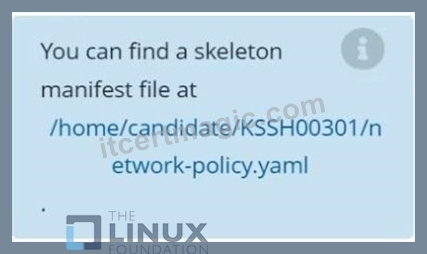
Task
Create a NetworkPolicy named pod-access to restrict access to Pod users-service running in namespace dev-team.
Only allow the following Pods to connect to Pod users-service:
Answer:
Explanation:


NEW QUESTION # 34
Create a PSP that will only allow the persistentvolumeclaim as the volume type in the namespace restricted.
Create a new PodSecurityPolicy named prevent-volume-policy which prevents the pods which is having different volumes mount apart from persistentvolumeclaim.
Create a new ServiceAccount named psp-sa in the namespace restricted.
Create a new ClusterRole named psp-role, which uses the newly created Pod Security Policy prevent-volume-policy Create a new ClusterRoleBinding named psp-role-binding, which binds the created ClusterRole psp-role to the created SA psp-sa.
Hint:
Also, Check the Configuration is working or not by trying to Mount a Secret in the pod maifest, it should get failed.
POD Manifest:
apiVersion: v1
kind: Pod
metadata:
name:
spec:
containers:
- name:
image:
volumeMounts:
- name:
mountPath:
volumes:
- name:
secret:
secretname:
Answer:
Explanation:
apiVersion: policy/v1beta1
kind: PodSecurityPolicy
metadata:
name: restricted
annotations:
seccomp.security.alpha.kubernetes.io/allowedProfileNames: 'docker/default,runtime/default' apparmor.security.beta.kubernetes.io/allowedProfileNames: 'runtime/default' seccomp.security.alpha.kubernetes.io/defaultProfileName: 'runtime/default' apparmor.security.beta.kubernetes.io/defaultProfileName: 'runtime/default' spec:
privileged: false
# Required to prevent escalations to root.
allowPrivilegeEscalation: false
# This is redundant with non-root + disallow privilege escalation,
# but we can provide it for defense in depth.
requiredDropCapabilities:
- ALL
# Allow core volume types.
volumes:
- 'configMap'
- 'emptyDir'
- 'projected'
- 'secret'
- 'downwardAPI'
# Assume that persistentVolumes set up by the cluster admin are safe to use.
- 'persistentVolumeClaim'
hostNetwork: false
hostIPC: false
hostPID: false
runAsUser:
# Require the container to run without root privileges.
rule: 'MustRunAsNonRoot'
seLinux:
# This policy assumes the nodes are using AppArmor rather than SELinux.
rule: 'RunAsAny'
supplementalGroups:
rule: 'MustRunAs'
ranges:
# Forbid adding the root group.
- min: 1
max: 65535
fsGroup:
rule: 'MustRunAs'
ranges:
# Forbid adding the root group.
- min: 1
max: 65535
readOnlyRootFilesystem: false
NEW QUESTION # 35
Enable audit logs in the cluster, To Do so, enable the log backend, and ensure that
1. logs are stored at /var/log/kubernetes/kubernetes-logs.txt.
2. Log files are retained for 5 days.
3. at maximum, a number of 10 old audit logs files are retained.
Edit and extend the basic policy to log:
- A. 1. Cronjobs changes at RequestResponse
Answer: A
Explanation:
2. Log the request body of deployments changes in the namespace kube-system.
3. Log all other resources in core and extensions at the Request level.
4. Don't log watch requests by the "system:kube-proxy" on endpoints or
NEW QUESTION # 36
Create a new ServiceAccount named backend-sa in the existing namespace default, which has the capability to list the pods inside the namespace default.
Create a new Pod named backend-pod in the namespace default, mount the newly created sa backend-sa to the pod, and Verify that the pod is able to list pods.
Ensure that the Pod is running.
Answer:
Explanation:
A service account provides an identity for processes that run in a Pod.
When you (a human) access the cluster (for example, using kubectl), you are authenticated by the apiserver as a particular User Account (currently this is usually admin, unless your cluster administrator has customized your cluster). Processes in containers inside pods can also contact the apiserver. When they do, they are authenticated as a particular Service Account (for example, default).
When you create a pod, if you do not specify a service account, it is automatically assigned the default service account in the same namespace. If you get the raw json or yaml for a pod you have created (for example, kubectl get pods/<podname> -o yaml), you can see the spec.serviceAccountName field has been automatically set.
You can access the API from inside a pod using automatically mounted service account credentials, as described in Accessing the Cluster. The API permissions of the service account depend on the authorization plugin and policy in use.
In version 1.6+, you can opt out of automounting API credentials for a service account by setting automountServiceAccountToken: false on the service account:
apiVersion: v1
kind: ServiceAccount
metadata:
name: build-robot
automountServiceAccountToken: false
...
In version 1.6+, you can also opt out of automounting API credentials for a particular pod:
apiVersion: v1
kind: Pod
metadata:
name: my-pod
spec:
serviceAccountName: build-robot
automountServiceAccountToken: false
...
The pod spec takes precedence over the service account if both specify a automountServiceAccountToken value.
NEW QUESTION # 37
Create a network policy named restrict-np to restrict to pod nginx-test running in namespace testing.
Only allow the following Pods to connect to Pod nginx-test:-
1. pods in the namespace default
2. pods with label version:v1 in any namespace.
Make sure to apply the network policy.
- A. Send us your Feedback on this.
Answer: A
NEW QUESTION # 38
SIMULATION
Using the runtime detection tool Falco, Analyse the container behavior for at least 20 seconds, using filters that detect newly spawning and executing processes in a single container of Nginx.
store the incident file art /opt/falco-incident.txt, containing the detected incidents. one per line, in the format
[timestamp],[uid],[processName]
- A. Send us the Feedback on it.
Answer: A
NEW QUESTION # 39
Use the kubesec docker images to scan the given YAML manifest, edit and apply the advised changes, and passed with a score of 4 points.
kubesec-test.yaml
apiVersion: v1
kind: Pod
metadata:
name: kubesec-demo
spec:
containers:
- name: kubesec-demo
image: gcr.io/google-samples/node-hello:1.0
securityContext:
readOnlyRootFilesystem: true
Hint: docker run -i kubesec/kubesec:512c5e0 scan /dev/stdin < kubesec-test.yaml
Answer:
Explanation:
kubesec scan k8s-deployment.yaml
cat <<EOF > kubesec-test.yaml
apiVersion: v1
kind: Pod
metadata:
name: kubesec-demo
spec:
containers:
- name: kubesec-demo
image: gcr.io/google-samples/node-hello:1.0
securityContext:
readOnlyRootFilesystem: true
EOF
kubesec scan kubesec-test.yaml
docker run -i kubesec/kubesec:512c5e0 scan /dev/stdin < kubesec-test.yaml kubesec http 8080 &
[1] 12345
{"severity":"info","timestamp":"2019-05-12T11:58:34.662+0100","caller":"server/server.go:69","message":"Starting HTTP server on port 8080"} curl -sSX POST --data-binary @test/asset/score-0-cap-sys-admin.yml http://localhost:8080/scan
[
{
"object": "Pod/security-context-demo.default",
"valid": true,
"message": "Failed with a score of -30 points",
"score": -30,
"scoring": {
"critical": [
{
"selector": "containers[] .securityContext .capabilities .add == SYS_ADMIN",
"reason": "CAP_SYS_ADMIN is the most privileged capability and should always be avoided"
},
{
"selector": "containers[] .securityContext .runAsNonRoot == true",
"reason": "Force the running image to run as a non-root user to ensure least privilege"
},
// ...
NEW QUESTION # 40
SIMULATION
Fix all issues via configuration and restart the affected components to ensure the new setting takes effect.
Fix all of the following violations that were found against the API server:- a. Ensure that the RotateKubeletServerCertificate argument is set to true.
b. Ensure that the admission control plugin PodSecurityPolicy is set.
c. Ensure that the --kubelet-certificate-authority argument is set as appropriate.
Fix all of the following violations that were found against the Kubelet:- a. Ensure the --anonymous-auth argument is set to false.
b. Ensure that the --authorization-mode argument is set to Webhook.
Fix all of the following violations that were found against the ETCD:-
a. Ensure that the --auto-tls argument is not set to true
b. Ensure that the --peer-auto-tls argument is not set to true
Hint: Take the use of Tool Kube-Bench
Answer:
Explanation:
Fix all of the following violations that were found against the API server:- a. Ensure that the RotateKubeletServerCertificate argument is set to true.
apiVersion: v1
kind: Pod
metadata:
creationTimestamp: null
labels:
component: kubelet
tier: control-plane
name: kubelet
namespace: kube-system
spec:
containers:
- command:
- kube-controller-manager
+ - --feature-gates=RotateKubeletServerCertificate=true
image: gcr.io/google_containers/kubelet-amd64:v1.6.0
livenessProbe:
failureThreshold: 8
httpGet:
host: 127.0.0.1
path: /healthz
port: 6443
scheme: HTTPS
initialDelaySeconds: 15
timeoutSeconds: 15
name: kubelet
resources:
requests:
cpu: 250m
volumeMounts:
- mountPath: /etc/kubernetes/
name: k8s
readOnly: true
- mountPath: /etc/ssl/certs
name: certs
- mountPath: /etc/pki
name: pki
hostNetwork: true
volumes:
- hostPath:
path: /etc/kubernetes
name: k8s
- hostPath:
path: /etc/ssl/certs
name: certs
- hostPath:
path: /etc/pki
name: pki
b. Ensure that the admission control plugin PodSecurityPolicy is set.
audit: "/bin/ps -ef | grep $apiserverbin | grep -v grep"
tests:
test_items:
- flag: "--enable-admission-plugins"
compare:
op: has
value: "PodSecurityPolicy"
set: true
remediation: |
Follow the documentation and create Pod Security Policy objects as per your environment.
Then, edit the API server pod specification file $apiserverconf
on the master node and set the --enable-admission-plugins parameter to a value that includes PodSecurityPolicy :
--enable-admission-plugins=...,PodSecurityPolicy,...
Then restart the API Server.
scored: true
c. Ensure that the --kubelet-certificate-authority argument is set as appropriate.
audit: "/bin/ps -ef | grep $apiserverbin | grep -v grep"
tests:
test_items:
- flag: "--kubelet-certificate-authority"
set: true
remediation: |
Follow the Kubernetes documentation and setup the TLS connection between the apiserver and kubelets. Then, edit the API server pod specification file
$apiserverconf on the master node and set the --kubelet-certificate-authority parameter to the path to the cert file for the certificate authority.
--kubelet-certificate-authority=<ca-string>
scored: true
Fix all of the following violations that were found against the ETCD:-
a. Ensure that the --auto-tls argument is not set to true
Edit the etcd pod specification file $etcdconf on the master node and either remove the --auto-tls parameter or set it to false. --auto-tls=false b. Ensure that the --peer-auto-tls argument is not set to true Edit the etcd pod specification file $etcdconf on the master node and either remove the --peer-auto-tls parameter or set it to false. --peer-auto-tls=false
NEW QUESTION # 41
......
New Linux Foundation CKS Dumps & Questions: https://www.itcertmagic.com/Linux-Foundation/real-CKS-exam-prep-dumps.html
Try with 100% Real Exam Questions and Answers: https://drive.google.com/open?id=1eRGcL1hjMDLvnE3FV6fjbOyt0P9oucxE